





One-Line Flow:
Turn your dusty media folder into a fake-but-glorious “real TV” experience that behaves like cable, looks like cable, and costs absolutely nothing—except your dignity and some server RAM.
Create a classic TV experience using your own media — IPTV backed by Plex/Jellyfin/Emby
 What This Actually Does (Without Melting Your Skull)
Tunarr takes all the random stuff in your collection — movies you forgot, TV episodes you never finished, weird clips you downloaded at 3AM —
and turns them into legit-looking TV channels.
Real schedules. Real guides. Real time slots.
Zero actual broadcast licenses.
Peak pirate energy, but make it domestic.
Plex/Jellyfin/Emby genuinely think you added a hardware tuner.
Tunarr emulates an HDHomeRun box, answers discovery calls, and streams like it’s metal and silicon — not software being cheeky on port 5004.
It’s cable TV powered by… your chaotic library.
 How You Actually Use It (dumb version)
Just point your media server at the fake tuner:
- Plex
- Jellyfin
- Emby
They all see it as:
“Oh wow! A real HDHomeRun tuner on the network!”
(Meanwhile Tunarr is giggling.)
Prefer IPTV players instead? Cool.
Tunarr gives you an m3u URL. Drop it anywhere:
Boom. Instant channels.
 What It Looks Like (The Part That Makes You Giggle)

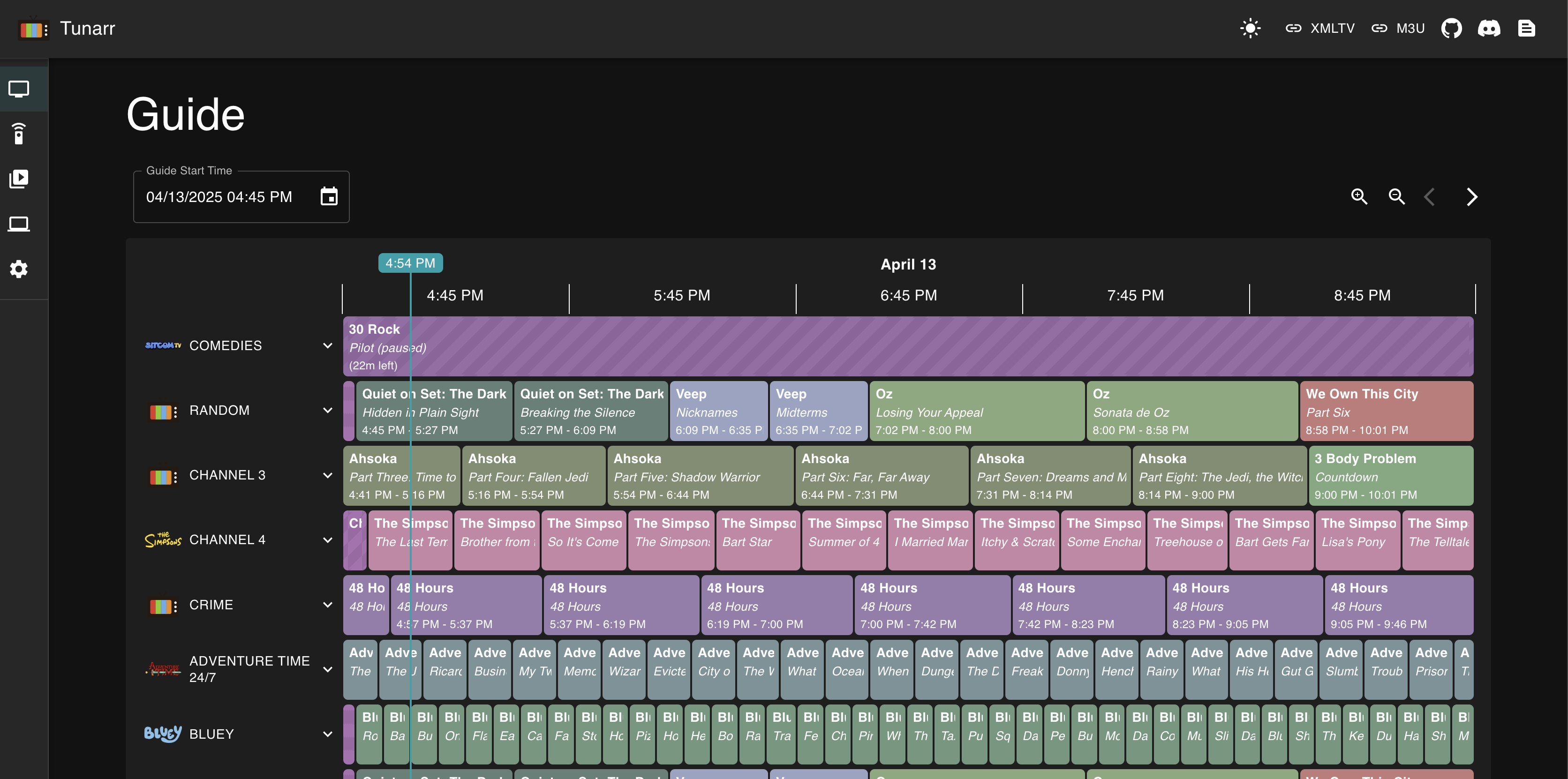
The EPG grid looks straight up like vintage cable:
- Color-coded rows
- Show titles
- Time slots
- Episode info
- Channel names + icons
- Perfectly aligned chaos
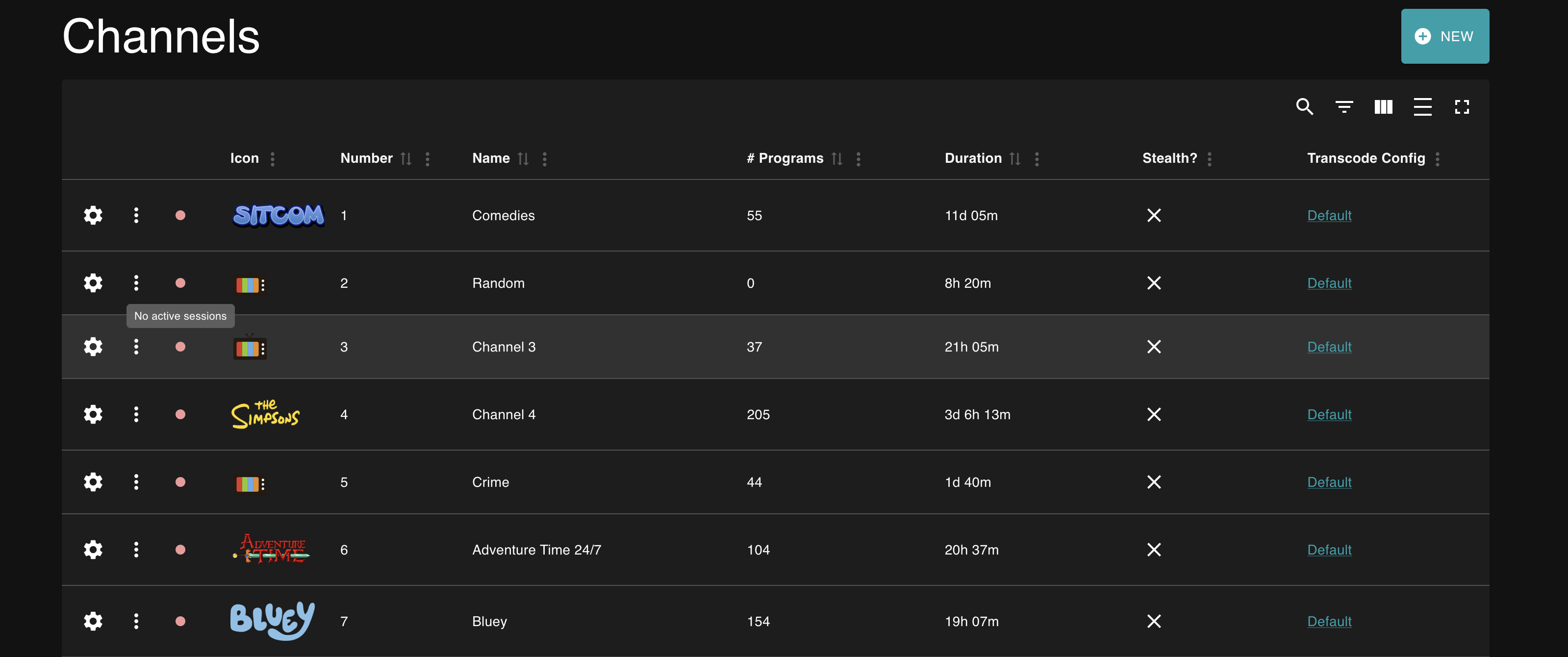
Each channel can have:
- Names
- Logos/watermarks
- Fully scheduled programming
- Commercial breaks
- Weighted randomization
- Transcoding modes
- Filler content
- Time-slot padding
- Shuffle blocks
- Retro station IDs
Basically… everything TV had before it died.
 The Missing Magic (The Stuff That Makes This Tool Unhinged and Awesome)
1. The Actual Brain Behind the Trick
Tunarr fully emulates HDHomeRun tuner hardware.
This means:
- Responds to discovery on your network
- Broadcasts streams over port 5004
- Pretends to be physical hardware
- Plex/Jellyfin swallow it whole like it’s real
Your server thinks it’s dealing with a TV tuner worth actual money.
It’s not. It’s just vibes and code.
2. The Wild Features You Didn’t Realize It Has
Flex Programming — aka Time-Travel TV Chaos
You can inject:
- Vintage commercials
- Station IDs
- Music videos
- Ads
- “Now back to our show” bumpers
With:
- Cooldown timers
- Weighted randomness
- Gaps filled automatically
- 8PM sharp “prime time” scheduling
- Inter-episode filler logic
- Shuffle blocks for Adult Swim-style madness
It basically lets you cosplay as a 1998 broadcast engineer.
Streaming Pipeline Wizardry
Tunarr can do:
- Hardware transcoding (NVENC, QuickSync, VAAPI, VideoToolbox)
- Browser-native HLS streaming
- Multi-audio support
- Live subtitle extraction
- Instant stream switching
Basically: “What if your home server had ESPN-level engineering but with memes?”
3. The Actual Setup Flow (So Your Brain Doesn’t Explode)

Tunarr Web UI (port 8000)
     ↓ configure channels & programming
Fake HDHomeRun spawns on port 5004
     ↓ server auto-discovers it
Plex/Jellyfin think it's a real tuner
     ↓
M3U output available at:
http://[server]:8000/api/channels.m3u
Plex path:
Settings → Live TV & DVR → Set Up Plex Tuner → Tunarr appears automatically.
4. The Nostalgic Madness You Can Enable
- Watermarks like nostalgic network logos
- Static images when nothing is scheduled
- “We’ll be right back” cards
- Multiple tuner spoofing for multiple servers
- Entire 24/7 themed channels (Spooky TV, 90s Cartoons, Anime Blocks, etc.)
You can basically run a 1980–2005 TV empire from your basement.
5. The Context — Why Tunarr Is a Beast
Compared to the competition:
ErsatzTV:
More powerful but harder than trying to explain Bitcoin to your grandparents.
dizqueTV:
Tunarr is the modern, dark-mode, fully rewritten successor with clean UI and browser streaming.
 Key Endpoints You Get
- HDHomeRun:
http://[server]:8000/devices - M3U Playlist:
http://[server]:8000/api/channels.m3u - XMLTV Guide:
http://[server]:8000/api/guide/xmltv
Everything your apps need to pretend you’re running a legitimate broadcast station.
 Why Even Bother? (Real Talk)

Because:
- File browsing is soul-crushing
- TV channels are comfy
- Nostalgia hits harder than caffeine
- “Live TV” makes your house feel alive
- You can leave a channel running for hours
- Background noise becomes aesthetic
It’s lazy.
It’s chaotic.
It’s perfect.
Monetize or Leverage Your Fake TV Channels
1.  “Theme-Channel Rental”
Make 24/7 themed channels (anime, horror, kid-safe, Bollywood classics, spooky retro)…
Then rent access to friends/family for a tiny monthly “maintenance fee”.
No skills needed. You literally charge people for watching your organized chaos.
2.  “Digital Waiting Room TV”
Small businesses (salons, gyms, tutoring rooms, cafés) need background TV.
Offer them a custom ad-free channel you control.
You get a monthly subscription for “managing their TV experience”.
You are now their “media consultant” while sitting at home in pajamas.
3.  “Nostalgia-Addiction Channel”
Create a 2000s Cartoon Network / 90s Nickelodeon / 2010s Comedy rerun style loop.
Upload shorts, memes, nostalgic clips.
Then push it as a YouTube Live stream with superchat & ads.
People love background noise. You monetize their childhood trauma.
4.  “Spooky 24/7 Channel for Events”
Halloween, Diwali, Christmas, New Year — every event demands a theme.
Offer party hosts a curated, looping “event vibe” channel.
Charge them a flat ₹199 – ₹499 for the night.
They think you’re a genius; you just dragged files into a folder.
5.  “Fake Cable Operator”
Bundle your channels + an IPTV player + setup help.
Sell it as a “family pack” to relatives or neighbors.
Charge for installation (₹300–₹1500).
You are now the local Tata Sky that nobody asked for.
6. “Ad Slot Marketplace”
Build a few popular themed channels.
Add Flex-enabled ad slots.
Let local tutors, shops, or freelancers buy 15-sec or 30-sec ad placements.
Congrats, you’re now running the smallest TV network in history.
7.  “Digital Product: Pre-Built Channel Packs”
Export channel configs.
Create “packs”:
- Anime 24/7
- Horror Nights
- K-Drama Marathon
- Cartoons Weekend
- Background Lo-Fi TV
Sell them on Gumroad for $1–$5.
People pay for convenience. You sell zip files.
8. “Brain-Off Productivity Hack”
Turn your media into “Study TV”, “Calm TV”, “Work TV”, “Morning Routine TV”.
Each one runs in the background and keeps your day structured.
This improves consistency → consistency improves output → output improves money.
Lazy productivity cheat code for common viewers.
9.  “Home Entertainment Upgrade Service”
Offer to set up a “smart home TV network” for people with big families.
Dad gets Sports 24/7
Kids get Cartoons 24/7
Mom gets Serials 24/7
Charge a one-time setup + a small monthly for “maintenance”.
No coding, no tech — just being the nephew who “knows computers”.
10.  “Leverage-As-A-Favor”
Set up custom channels for someone important (boss, client, supplier, landlord).
They think you’re a tech prodigy.
You build relationship leverage.
That turns into favors, discounts, priority treatment, or opportunities.
Not everything needs direct money — sometimes you barter with skills.
In short:
Even a fake TV setup can become money, influence, “expert” reputation, or a lazy-person side hustle…
if you package it the right way.
 Bottom Line
You install Tunarr.
It pretends to be hardware.
Your apps fall for the scam.
Your media becomes TV.
You become a 90s cable executive overnight.
Life is stupidly good.
 !
!