





 Turn Any YouTube Video into Flashcards (Free & Offline)
Tired of long YouTube lectures?
This trick turns them into short study cards — automatically.
No account, no setup drama, no brain pain.
 Step 1: What It Does
You paste a YouTube link.
It makes study cards (Q&A style), adds screenshots, and even links to the exact second of the video.
All saved in a file you can open in Anki.
Everything works offline, and it’s 100% free.
 Step 2: What You Need
Just install these once:
 Python – runs the tool
 Ollama – makes the flashcards using AI
 yt-dlp – grabs video text
 genanki – creates the card pack
 ffmpeg – takes screenshots (optional)
 Whisper – writes subtitles if the video doesn’t have any (also optional)
 Step 3: Setup
 1. Install Ollama
Go to ollama.com, download, then open your terminal and type:
ollama pull llama3
(If your computer is old or slow, type this instead:)
ollama pull phi3
2. Install the Rest
Copy and paste this in the same window:
pip install yt-dlp genanki requests tqdm pydantic webvtt-py
If the video has no subtitles:
pip install openai-whisper
Done. You can now chill.
 Step 4: Make the Flashcards
Before running the command below, you need a file named autolearn.py in the same folder.
-
Create a new file called
autolearn.pyand paste the script from the “autolearn.py (minimal working version)” section (save as UTF-8; make sure the extension is.py, not.txt). -
autolearn.py(minimal working version)#!/usr/bin/env python3 # -*- coding: utf-8 -*- """ AutoLearn: Turn a YouTube video into Anki flashcards (.apkg) Dependencies (from the post): pip install yt-dlp genanki requests tqdm pydantic webvtt-py Optional: pip install openai-whisper # only if you want offline subtitles Also requires: ffmpeg (for screenshots), Ollama running locally. Usage example: python autolearn.py "https://www.youtube.com/watch?v=VIDEO_ID" --model llama3 --screenshots 5 --max-cards 30 """ import argparse, os, sys, re, json, subprocess, shutil, tempfile, uuid, math from pathlib import Path from typing import List, Dict, Optional, Tuple import requests from tqdm import tqdm import webvtt import genanki try: from pydantic import BaseModel, ValidationError HAVE_PYDANTIC = True except Exception: HAVE_PYDANTIC = False try: import yt_dlp except Exception as e: print("yt-dlp is not installed. Run: pip install yt-dlp", file=sys.stderr) sys.exit(1) def seconds_from_timestamp(ts: str) -> float: # 'hh:mm:ss.mmm' h, m, s = ts.split(':') return int(h) * 3600 + int(m) * 60 + float(s) def get_video_info(url: str) -> Dict: ydl_opts = {"quiet": True, "skip_download": True} with yt_dlp.YoutubeDL(ydl_opts) as ydl: info = ydl.extract_info(url, download=False) return info def download_subtitles(url: str, outdir: Path, lang: str = "en") -> Optional[Path]: """ Try manual subs in preferred lang, else auto subs. Produces .vtt in outdir. Returns Path or None. """ outdir.mkdir(parents=True, exist_ok=True) # We allow fallback to English if user passed something else. sub_langs = [lang, "en"] if lang != "en" else ["en"] # 1) Try manual subtitles for L in sub_langs: ydl_opts = { "quiet": True, "skip_download": True, "writesubtitles": True, "subtitleslangs": [L], "subtitlesformat": "vtt", "outtmpl": str(outdir / "%(id)s.%(ext)s"), } with yt_dlp.YoutubeDL(ydl_opts) as ydl: try: ydl.download([url]) except Exception: pass # 2) Try auto subtitles for L in sub_langs: ydl_opts = { "quiet": True, "skip_download": True, "writeautomaticsub": True, "subtitleslangs": [L], "subtitlesformat": "vtt", "outtmpl": str(outdir / "%(id)s.%(ext)s"), } with yt_dlp.YoutubeDL(ydl_opts) as ydl: try: ydl.download([url]) except Exception: pass # Find any .vtt we just wrote vtts = list(outdir.glob("*.vtt")) return vtts[0] if vtts else None def whisper_transcribe(audio_path: Path, language: Optional[str]) -> Path: try: import whisper except Exception: print("openai-whisper not installed. Run: pip install openai-whisper", file=sys.stderr) raise model = whisper.load_model("base") result = model.transcribe(str(audio_path), language=language if language else None) # Write VTT vtt_path = audio_path.with_suffix(".vtt") with open(vtt_path, "w", encoding="utf-8") as f: f.write("WEBVTT\n\n") # Build naive chunks ~10s to keep simple if timestamps missing start = 0.0 for seg in result["segments"]: s = seg["start"] e = seg["end"] text = seg["text"].strip() f.write(f"{fmt_vtt_time(s)} --> {fmt_vtt_time(e)}\n{text}\n\n") return vtt_path def fmt_vtt_time(t: float) -> str: # hh:mm:ss.mmm h = int(t // 3600); t -= h*3600 m = int(t // 60); t -= m*60 s = t return f"{h:02d}:{m:02d}:{s:06.3f}" def download_audio(url: str, outdir: Path) -> Path: outdir.mkdir(parents=True, exist_ok=True) ydl_opts = { "quiet": True, "format": "bestaudio/best", "outtmpl": str(outdir / "%(id)s.%(ext)s"), "postprocessors": [{ "key": "FFmpegExtractAudio", "preferredcodec": "mp3", "preferredquality": "64", }], } with yt_dlp.YoutubeDL(ydl_opts) as ydl: info = ydl.extract_info(url, download=True) # locate mp3 vid = info.get("id") for p in outdir.glob(f"{vid}*.mp3"): return p raise RuntimeError("Failed to download audio for Whisper.") def parse_vtt(vtt_path: Path) -> List[Tuple[float, float, str]]: rows = [] for caption in webvtt.read(str(vtt_path)): start = seconds_from_timestamp(caption.start) end = seconds_from_timestamp(caption.end) text = caption.text.replace("\n", " ").strip() if text: rows.append((start, end, text)) return rows def chunk_transcript(spans: List[Tuple[float,float,str]], target_chars: int = 1000) -> List[Dict]: chunks = [] cur_text = [] cur_start = None cur_len = 0 for s,e,t in spans: if cur_start is None: cur_start = s cur_text.append(t) cur_len += len(t) + 1 if cur_len >= target_chars: chunks.append({"start": cur_start, "end": e, "text": " ".join(cur_text)}) cur_text, cur_start, cur_len = [], None, 0 if cur_text: chunks.append({"start": cur_start if cur_start is not None else 0.0, "end": spans[-1][1] if spans else 0.0, "text": " ".join(cur_text)}) return chunks def ollama_generate_cards(model: str, chunk: Dict, lang: str, max_cards: int) -> List[Dict]: prompt = f""" You are a tutor. From the following lecture transcript segment, create concise study flashcards. Return STRICT JSON (no prose) as a list of objects with keys: "question" (string), "answer" (string), "ts" (number, seconds; pick a representative second within this segment). Transcript segment (language={lang}): --- {chunk['text']} --- Constraints: - Max {max_cards} cards for this call. - Keep questions short and specific. - Answers should be 1–3 sentences or a clear bullet list. - Use "ts" within [{int(chunk['start'])}, {int(chunk['end'])}] seconds. Output JSON only. """ try: r = requests.post( "http://localhost:11434/api/generate", json={"model": model, "prompt": prompt, "stream": False}, timeout=600, ) except requests.exceptions.ConnectionError: raise RuntimeError("Cannot reach Ollama at http://localhost:11434. Is Ollama running?") r.raise_for_status() data = r.json() text = data.get("response", "").strip() # Extract JSON array robustly m = re.search(r"\[.*\]", text, re.DOTALL) if not m: raise RuntimeError("Model did not return JSON. Try a smaller chunk or a different model.") arr = json.loads(m.group(0)) # Optional schema check if HAVE_PYDANTIC: class Card(BaseModel): question: str answer: str ts: float try: arr = [Card(**x).dict() for x in arr] except ValidationError as ve: raise RuntimeError(f"Invalid JSON schema from model: {ve}") return arr def build_deck(title: str, video_id: str, cards: List[Dict], images: Dict[int, Path]) -> Path: deck_id = int(uuid.uuid4()) & 0x7FFFFFFF model_id = int(uuid.uuid4()) & 0x7FFFFFFF my_model = genanki.Model( model_id, 'AutoLearn Basic', fields=[ {'name': 'Question'}, {'name': 'Answer'}, {'name': 'Link'}, {'name': 'Image'}, ], templates=[{ 'name': 'Card 1', 'qfmt': '{{Question}}<br><br>{{#Image}}<img src="{{Image}}"><br>{{/Image}}{{#Link}}<a href="{{Link}}" target="_blank">Open this part in video</a>{{/Link}}', 'afmt': '{{FrontSide}}<hr id="answer">{{Answer}}', }], css=""" .card { font-family: -apple-system, Segoe UI, Roboto, Arial; font-size: 18px; } img { max-width: 100%; } a { text-decoration: none; } """, ) deck = genanki.Deck(deck_id, f'AutoLearn — {title}') media_files = [] for i, c in enumerate(cards, start=1): link = f"https://www.youtube.com/watch?v={video_id}&t={int(c['ts'])}s" img_path = images.get(i) fields = [ c['question'].strip(), c['answer'].strip(), link, img_path.name if img_path else "", ] note = genanki.Note(model=my_model, fields=fields) deck.add_note(note) if img_path: media_files.append(str(img_path)) out_path = Path.cwd() / f"AutoLearn_{safe_title(title)}.apkg" genanki.Package(deck, media_files=media_files).write_to_file(str(out_path)) return out_path def safe_title(s: str) -> str: return re.sub(r"[^\w\-_]+", "_", s).strip("_")[:80] def download_video_for_screens(url: str, outdir: Path) -> Path: outdir.mkdir(parents=True, exist_ok=True) ydl_opts = { "quiet": True, "format": "worst", # smallest "outtmpl": str(outdir / "%(id)s.%(ext)s"), } with yt_dlp.YoutubeDL(ydl_opts) as ydl: info = ydl.extract_info(url, download=True) vid = info.get("id") for p in outdir.glob(f"{vid}.*"): if p.suffix.lower() in (".mp4", ".webm", ".mkv"): return p raise RuntimeError("Failed to download a video file for screenshots.") def grab_screenshot(video_path: Path, ts: float, outdir: Path, idx: int) -> Optional[Path]: outdir.mkdir(parents=True, exist_ok=True) out_path = outdir / f"shot_{idx:03d}.jpg" try: subprocess.run([ "ffmpeg", "-y", "-ss", str(max(0, int(ts))), "-i", str(video_path), "-frames:v", "1", str(out_path) ], stdout=subprocess.DEVNULL, stderr=subprocess.DEVNULL, check=True) return out_path if out_path.exists() else None except FileNotFoundError: print("ffmpeg not found; skipping screenshots.", file=sys.stderr) return None except subprocess.CalledProcessError: return None def main(): ap = argparse.ArgumentParser(description="Turn a YouTube video into Anki flashcards") ap.add_argument("url", help="YouTube URL") ap.add_argument("--model", default="llama3", help="Ollama model (e.g., llama3, phi3)") ap.add_argument("--lang", default="en", help="Transcript language hint (e.g., en, es, tr)") ap.add_argument("--max-cards", type=int, default=40, help="Maximum cards total") ap.add_argument("--screenshots", type=int, default=0, help="Number of screenshots to embed (grabs per-card if possible)") ap.add_argument("--use-whisper", action="store_true", help="If no subtitles, use Whisper (downloads audio)") args = ap.parse_args() work = Path(tempfile.mkdtemp(prefix="autolearn_")) subs_dir = work / "subs" media_dir = work / "media" video_dir = work / "video" media_dir.mkdir(parents=True, exist_ok=True) info = get_video_info(args.url) title = info.get("title", "YouTube Video") video_id = info.get("id", "VIDEO") duration = info.get("duration", 0) or 0 print(f"[1/5] Getting subtitles for: {title}") vtt_path = download_subtitles(args.url, subs_dir, lang=args.lang) if not vtt_path and args.use_whisper: print("No subtitles found; using Whisper to transcribe (this can take a while)...") audio = download_audio(args.url, work) vtt_path = whisper_transcribe(audio, args.lang) if not vtt_path: print("Could not find or create subtitles. Rerun with --use-whisper or try a video that has captions.", file=sys.stderr) sys.exit(2) print(f"[2/5] Parsing transcript …") spans = parse_vtt(vtt_path) if not spans: print("Transcript appears empty.", file=sys.stderr) sys.exit(2) chunks = chunk_transcript(spans, target_chars=1200) print(f"[3/5] Asking {args.model} (Ollama) to draft Q&A …") all_cards: List[Dict] = [] per_chunk_budget = max(4, math.ceil(args.max_cards / max(1, len(chunks)))) # rough spread for ch in tqdm(chunks): try: cards = ollama_generate_cards(args.model, ch, args.lang, per_chunk_budget) all_cards.extend(cards) if len(all_cards) >= args.max_cards: break except Exception as e: # Skip problematic chunk but continue print(f"Chunk failed: {e}", file=sys.stderr) if not all_cards: print("No cards were generated. Try a different model or smaller --max-cards.", file=sys.stderr) sys.exit(3) # Trim to max all_cards = all_cards[:args.max_cards] # Optional screenshots images: Dict[int, Path] = {} if args.screenshots > 0: try: print(f"[4/5] Downloading tiny video and grabbing screenshots …") vid_file = download_video_for_screens(args.url, video_dir) # one screenshot per card at its timestamp (cap total) for i, c in enumerate(tqdm(all_cards, desc="Screens"), start=1): if i > args.screenshots: break shot = grab_screenshot(vid_file, float(c.get("ts", 0)), media_dir, i) if shot: images[i] = shot except Exception as e: print(f"Screenshots skipped: {e}", file=sys.stderr) images = {} print(f"[5/5] Building Anki deck …") out_path = build_deck(title, video_id, all_cards, images) print(f"Done! → {out_path}") if __name__ == "__main__": main()-
Windows: Open Notepad → paste → File → Save As… → File name:
autolearn.py→ Save as type: All Files. -
macOS/Linux: In Terminal run
nano autolearn.py, paste, pressCtrl+O→Enter, thenCtrl+X. (Or use any code editor.)
-
If you already have the file, skip this note. If you named it differently, use that name in the command (e.g., python YOUR_FILE.py ...). If python doesn’t work on your system, try python3.
Type this and press Enter:
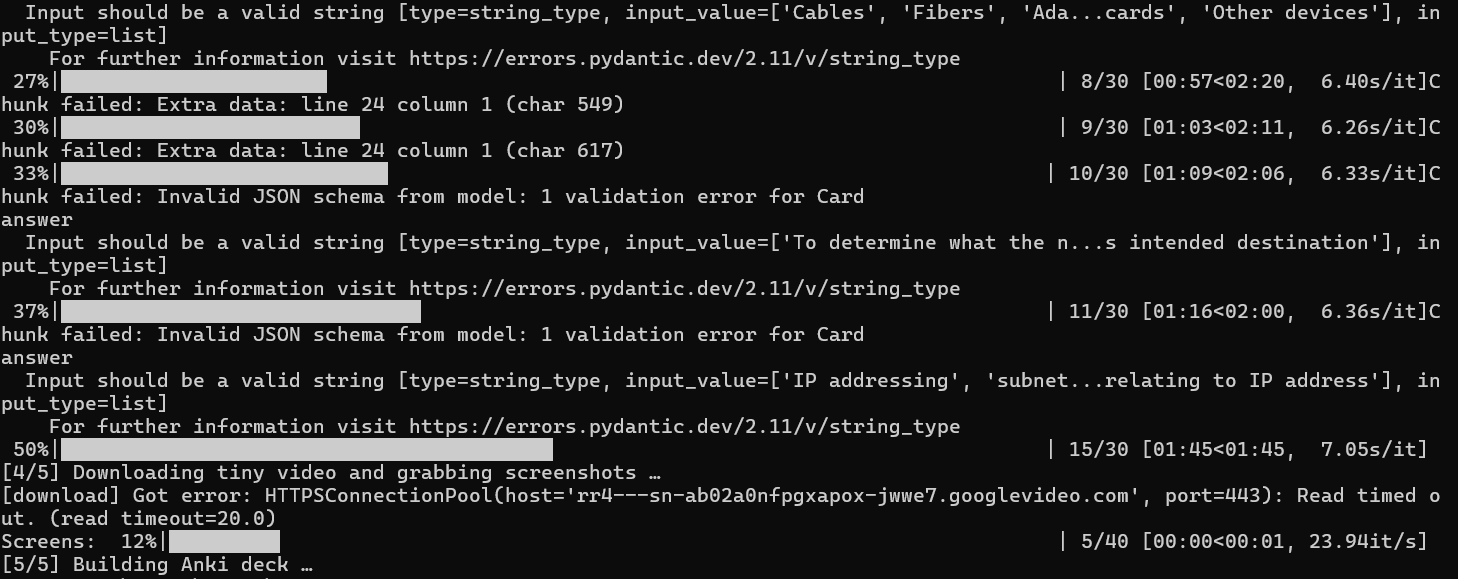
python autolearn.py "https://www.youtube.com/watch?v=YOUR_VIDEO_LINK" --model llama3 --screenshots 5
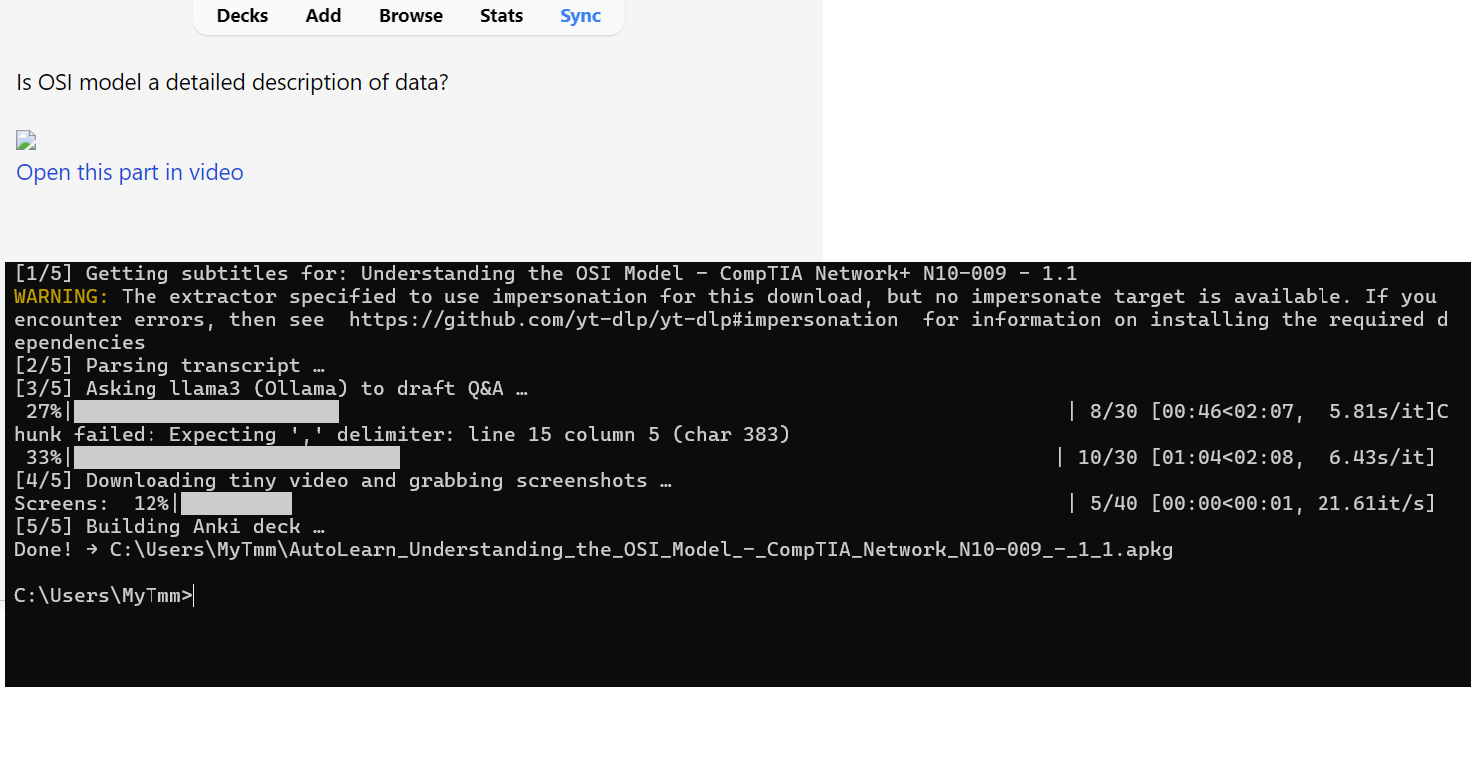
After a bit, you’ll get a file called:
AutoLearn_<video_title>.apkg
Step 5: Use It
- Open Anki
- Click File → Import
- Choose your
.apkgfile - Enjoy your cards
Each card has:
- Questions & Answers
 Fill-in-the-blank notes
 Screenshot (optional)
 “Open this part in video” link
 Step 6: Optional Tricks
- Weak laptop? → Use
--model phi3 - Want fewer cards? → Add
--max-cards 20 - Another language? → Add
--lang esor--lang hi
 Step 7: Be Cool
Use it for your own study videos.
Don’t steal full paid courses.
Study, don’t scam.
 TL;DR
TL;DR
Paste YouTube link → Run one line → Get flashcards → Import to Anki → Study smart.
Free, offline, and lazy-proof.
 !
!