





 FREE: Power User Add-In for Microsoft Office (Official Giveaway)
 What’s the Deal
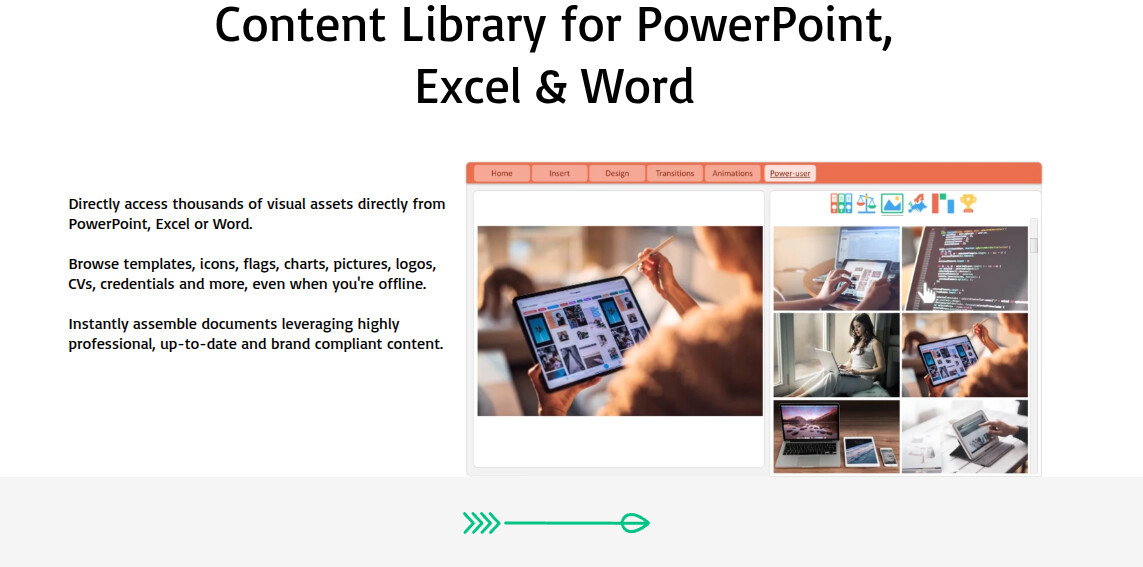
The Power User Add-In — a paid productivity booster for PowerPoint, Excel, and Word — is giving out 1-year premium licenses for FREE.
No trials. No card. No trap. Just real Office upgrades.

 Ends: November 30 2025 (official countdown on the giveaway page)
Source: Direct from Power-user SAS (France) — not a third-party promo.
 What It Does
It turns your regular Office into designer-grade software:
- 100+ pro tools
- Smart templates & palettes
- Infographic-style charts
- One-click automation
- Batch editing for lazy geniuses
Result: “Corporate-level decks” without hiring a designer.
 Quick Setup (5-Minute Install)
 Go to Power-user Add-in for Microsoft Office
 Download → Run installer → Click Next a few times
 Register with any email
 Claim license → Official Free-License Page
 Paste code → Activate inside the Add-In
 Open PowerPoint, Excel, or Word → enjoy your new toolbar
 Highlights That Actually Matter
 Design: templates, icons, shapes, layouts
 Data: infographics, advanced charts, smart diagrams
Speed: batch edits, automation, quick actions
 Organization: libraries, version control, exports
Looks like magic, runs like muscle memory.
 Real Talk: What Happens After 1 Year
- License expires — app reverts to free tier with limited templates & icons.
- No auto-renewal, no charges.
- You’ll get a polite “renew now” email, not a surprise invoice.
- Renewal price: around €77.97–€149/year, depending on plan.
- You can still open files created during the free year — you just lose premium editing features.
 Privacy & Data
Power-user collects:
- Windows username, email, org name, job title
- Usage analytics + error logs
- AI-based features send data to OpenAI APIs
Transparency: Power-user Privacy Policy
If that freaks you out — use a temp email and block telemetry via firewall.
 Known Limitations & Cons
Straight from user reviews (Capterra & AppSource):
- Slows down Excel with heavy datasets

- Auto-updates interrupt mid-session
- Occasional crashes under load
- Word integration weaker than PowerPoint
- Malwarebytes sometimes flags updates as suspicious (false positive)
Still worth it — but don’t install on your grandma’s 2012 laptop.
 Free vs Premium
| Feature | Free Tier | Premium (Giveaway) |
|---|---|---|
| Templates | Limited | 1000+ pro designs |
| Icons | Few packs | Full icon library |
| Automation |  |
 |
| Charts | Basic | Advanced Infographics |
| Support | Community | Priority |
| Updates | Minor | All major releases |
 Competitor Snapshot
| Tool | Best For | Why Power-user Still Wins |
|---|---|---|
| Canva | Online visuals | Power-user lives inside Office |
| Prezi | Animated decks | Too flashy for corporate decks |
| Beautiful.ai | Auto-layout slides | Subscription locked |
| SlideModel | Templates only | No data automation |
| Power-user | End-to-end Office boost | Seamless, offline, secure |
 Real Proof
 4.8/5 on Microsoft AppSource
- 4.7/5 average on Capterra
 Microsoft Certified Partner
 350 000+ active users, 97 % renewal rate
 Company: Power-user SAS, founded 2015, France
 System Requirements
Windows 10/11 or macOS 13+
Office 2016 → 365
4 GB RAM min (8 GB recommended)
300 MB free space
 Internet needed for activation + updates
 License Terms
- One license / email
- Works on 2 devices max (same account)
- Commercial use allowed
- Non-transferable after activation
- No geo-lock — global availability
 Why It’s Still a Steal
You’re saving about $100 and a ton of time.
Worst case: it expires and you delete it.
Best case: you work faster, look smarter, and pretend you hired a designer.
 Final Move
Visit Power-user Add-in
Download → Install → Register
Claim the Free License
Activate it in Office
Drop a “ SUCCESS” comment once you’ve done it
Claim Your Free Power User License Now — before they remember they could be charging you again.
Hit Like 
 Awesome chance to try premium features for free. Tips like this really help save time and make work look great.
 !
!